Homemade empanadas in Shelton, CT
Family favorites from Hank’s Kitchen: Puerto Rican empanadas made with beef, cheese & diced potatoes; shredded chicken breast with onions and red & green peppers; or pizza with mozzarella, cheddar, and seasoned pizza sauce.
Complete your order with yellow rice & pigeon peas (arroz con gandules), fried & seasoned plantains, MayoKetchup, or garlic mojito sauce.
Takeout, curbside pickup & catering
Find us at 1 Positive Place inside the Boys & Girls Club of the Lower Naugatuck Valley in Shelton, Connecticut. Public takeout orders are brought out to your car in the parking lot.
Planning a party, workplace lunch, or family gathering? Request catering online or call 203-850-2836. Empanadas are available fried or frozen.
Pickup orders
Place a pickup order
Pickup is available Monday–Friday from 12:00 PM to 6:00 PM.
Pickup order sent
Hank’s Kitchen received your order request.
Catering orders
Tell us about your event
Send the details below and Hank’s Kitchen will reply with availability, pricing, and payment instructions.
Catering & bulk-order empanada pricing
- Frozen empanadas for catering orders: $3.50 each (20-empanada minimum)
- Cooked and ready-to-eat empanadas for catering orders: $3.50 each (20-empanada minimum)
Request sent
Hank’s Kitchen received your catering request and will contact you to confirm availability, pricing, and payment.
Sign in to your child's wallet
Use the email and password connected to your child’s wallet. You only need an email link the first time you set up your password.
Only parents and authorized caregivers should create child profiles. Use a personal device and sign out on shared computers.
Create your wallet password
Create a password now. After this, you can sign in without waiting for another email link.
Use at least 8 characters. Keep this password private.
Owner login
Sign in to manage student wallets, review payments, and view parent-created profiles.
Only the authorized Hank’s Kitchen owner account can open the dashboard.
Create a new password
Enter the new password you want to use for the Hank’s Kitchen owner dashboard.
Check your email
We sent a secure sign-in link to your email.
Check Spam if the email does not arrive. Use the newest link. Never share your sign-in link.
Your family’s wallets
's wallet
Choosing a payment method automatically saves your verification request. Send the money using that method; no return visit or extra confirmation is needed. Funds become available after Hank’s Kitchen verifies receipt.
Recent activity
Pre-order lunch
Order today’s lunch by 10:00 AM Eastern.
Before you order
- When to order: Order the previous day or before 10:00 AM Eastern on the lunch date. For example, order Monday’s lunch on Sunday or before 10:00 AM Monday.
- Wallet balance: The wallet must have enough money for the full order. Funds become available after Hank’s Kitchen verifies receipt and approves your payment.
- Spending limits: Daily and weekly limits are optional. An order cannot be completed if it would exceed a limit you set.
- Changes and refunds: Before 10:00 AM, changing an order charges or refunds the price difference. Cancelling returns the full order amount to the child’s wallet immediately.
Wallet refunds return to the child’s available balance, not to the original payment app.
Tap a menu item to add it.
Spending limits
Set either limit, both limits, or leave both blank for no limit.
Add money
Choose an amount and how you want to send it.
Enter the amount and sender name first. Choosing a payment method automatically saves a pending verification for Hank’s Kitchen. You must still send the money before funds can be approved.
Verification request saved
Hank’s Kitchen has your pending verification request. Send the money using the payment details below. You do not need to return here or press another confirmation button. Funds become available after Hank’s Kitchen verifies receipt and approves the payment.
Parent account
Add your child
Create a wallet for your child. Choose their age group and confirm your relationship below.
Child profile saved
Sophia Agosto
The profile now appears in your parent account and the Hank's Kitchen dashboard.
Parent account
Email updates
Choose whether Hank’s Kitchen may email you about closings, vacations, menu changes, and special events.
Wallet activity
Deposits and purchases appear here.
Parent-created profiles
Children registered by verified parents and caregivers.
Sales overview
Wallet purchases and completed pickup orders.
Turn on alerts to see a numbered badge on this Home Screen icon when new activity arrives.
Owner tools
Pending verifications
Approve a payment only after you confirm that the money arrived in your payment app or bank.
Owner tools
Pickup orders
Review requested pickup times, quantities, totals, and payment methods.
Sales archive
Completed pickup orders move here after seven days so you can review monthly revenue.
Owner tools
Catering requests
Review each website request, call or email the customer, and update its status.
Summer lunch program
Lunch pre-orders
Orders are separated by age group for the selected lunch date.
Manage student wallet
Student
Available balance: $0.00
No spending limits
Charge for food
Tap a menu item to add it.
Owner tools
Manage pickup menu
Add, edit, or remove the items customers can choose in “Place a pickup order.” Past orders keep their original names and prices.
Owner tools
Manage menus
Update what customers see on the website and manage the lunch-program checkout menu.
Public website menu
Lunch-program checkout menu
Parent self-registration
Parent sign-up QR
Parents scan this code, verify their email, and create their child's wallet.
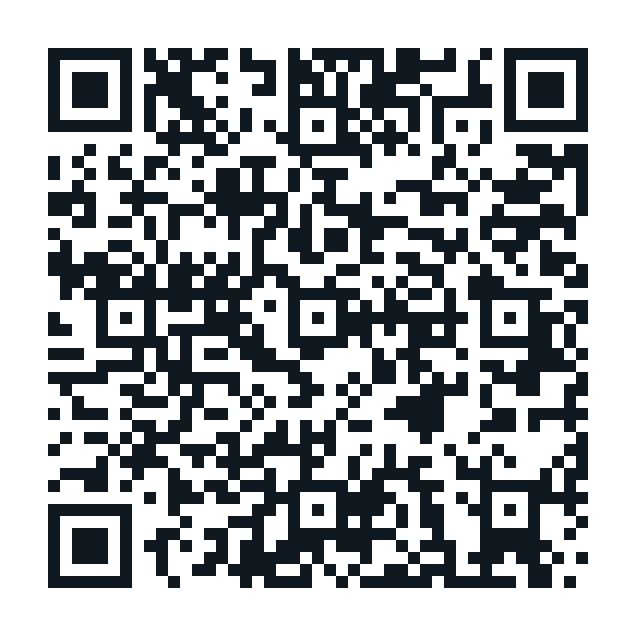 Hank's Kitchen Student Wallet
Parents can register their children and add money to their wallets.
Owner tools
Email parents
Send one update to every parent who chose to subscribe. Addresses are kept private.
Recent emails
Opening Hank’s Kitchen…
Please wait.